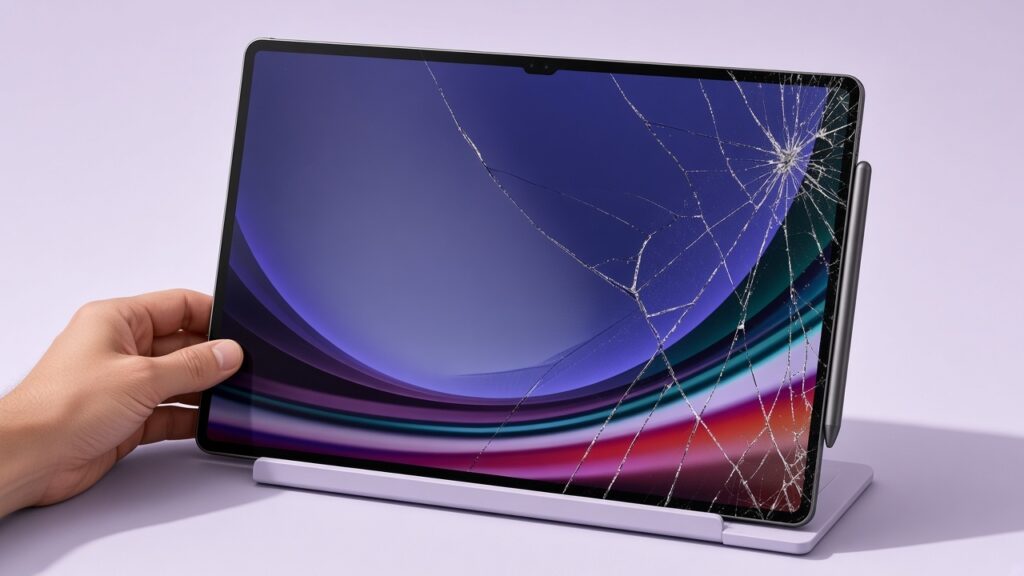
A Galaxy Tab that will not charge does not automatically need a battery. A cracked display does not tell us whether the damage stops at the glass. We would rather identify the fault than sell the part that happens to sound familiar.
For Samsung tablet repair in Singapore, the exact model matters. A Galaxy Tab S, Tab A and an older school tablet are not interchangeable repair jobs. Start with the model information and the symptoms; we can discuss the options without pretending every part is on the shelf.
Separate the screen problem from the picture and touch
Tell us whether there is a clear picture, whether touch works across the screen, and whether you see lines, black patches or unintended taps. Mention any bend in the frame or a screen lifting away from it. Do not press a lifted screen back into place: a battery problem needs to be ruled out.
Samsung’s screen-repair explanation distinguishes complete replacement from partial repair on eligible devices. It also says the method depends on the model and the damage. That does not mean a glass-only job is available for every Galaxy Tab, or that an independent shop has the same options as an authorised service centre.

Rule out the charger before blaming the port
For a dry, undamaged tablet, inspect the cable and adapter without opening them. Stop using a cable with exposed wires or damaged plugs. Try a known-good, compatible charger and cable at a working wall outlet rather than relying on a laptop USB port.
Samsung’s Galaxy Tab charging guide lists damaged or incompatible accessories and debris in the charging port among the possible causes. It also describes Battery status and Cable charging tests in Samsung Members, where supported. Menus vary by model and software version, so follow the instructions for your tablet.
A plug that needs to be held at an angle is not a long-term workaround. Do not push metal tools into the connector or force a cable into a blocked port. If there is liquid exposure, abnormal heat or swelling, stop charging and seek handling advice rather than running more tests.
Battery drain needs a diagnosis, not a guess
Short runtime can involve the battery, but screen use, background applications and charging behaviour also matter. Describe whether the problem happens at idle, only during games or video, or immediately after an update. A tablet that switches off while showing charge deserves an assessment; that symptom alone does not identify the faulty part.
| What you notice | Useful information to give us |
|---|---|
| Cracked glass, normal picture | Exact model, touch behaviour and frame condition |
| Lines, black patches or no image | Whether it still makes sounds or responds, and any drop history |
| Not charging | Charger/cable tried, port condition and any moisture warning |
| Battery drains or tablet shuts down | When it happens, charging behaviour and any heat or swelling |
| Screen or back lifting | Stop charging; arrange a safe battery assessment |
Check coverage and back up before choosing a route
If the tablet has an active warranty, protection plan or insurance, check that route before paying for independent work. Samsung’s Singapore service-centre page provides its authorised route and advises backing up before service. We are RepairX, an independent repair business, not a Samsung-authorised service centre.
If the device is safe to use, verify a current backup of the files you need. Ask whether Maintenance mode is available and suitable for the proposed work; it does not replace a backup. If the tablet cannot be used safely, tell the workshop that data preservation matters before any reset or replacement is authorised.
Compare a model-specific quote
Ask which component is being replaced, what part option is proposed, what testing is included and which written warranty terms apply. Our tablet repair page covers Samsung and Android tablet enquiries, but model support and parts availability still need confirmation.
Prices vary by model, parts and the work needed. Contact or visit RepairX for the current price before booking.
FAQ
Can you tell whether I need a screen or LCD from a photo?
A photo helps, but the exact model, touch behaviour and inspection determine the suitable repair. A working picture does not prove a glass-only repair is possible.
Does a Galaxy Tab that will not charge always need a new battery?
No. The cable, adapter, port, software and battery can each be involved. Start with safe compatible-accessory checks.
Do you repair every Galaxy Tab model on the same day?
We do not make that promise. Send the exact model and fault first so support, parts and expected timing can be checked.
Get the right repair assessed first
Send the model and a description through our free online diagnosis. If you also have an iPad, our repair-versus-replacement guide explains the broader decision, but its parts should not be assumed to match a Samsung tablet.
Our Tanjong Pagar branch is at International Plaza, 10 Anson Road #02-71, and opens Monday to Saturday, 11am–7pm, closed Sundays and public holidays. We also have a Woodlands branch at Woods Square Office (Tower 1), 12 Woodlands Square #10-62. Confirm your preferred branch and appointment before travelling.