The MacBook hinge is a precision-engineered component that connects your screen to the lower body. It allows you to open and close the laptop smoothly, while also housing important cables like the display data and backlight wires.
Every time you open your MacBook, the hinge absorbs a bit of force. Over time, this continuous use—especially with uneven pressure—can wear it down.
In MacBooks, the hinge is designed to be compact, but its thinness means it’s also more prone to stress-related issues. If this wear leads to instability or screen wobble, you may need a MacBook hinge loose repair to restore proper screen support and prevent further internal damage.
🔍 MacBook Hinge Loose? Why You Shouldn’t Ignore It
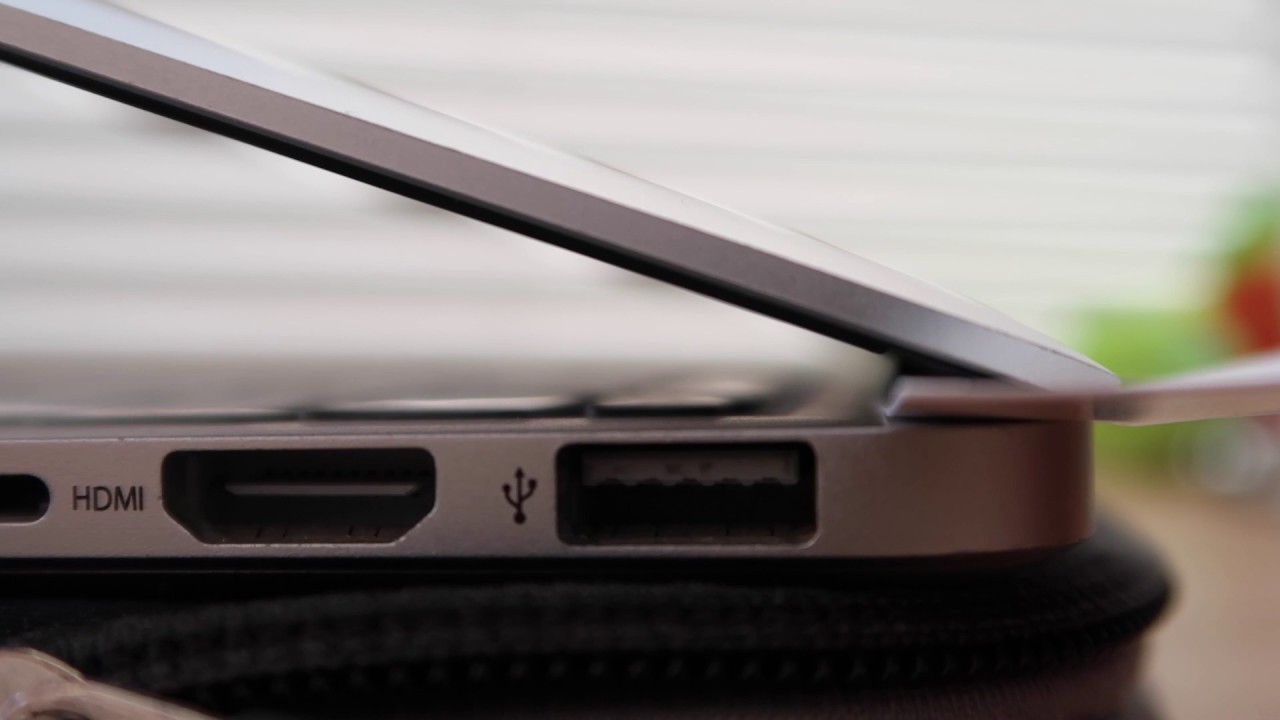
A MacBook hinge loose problem is more than just annoying—it’s a ticking time bomb. What starts as a wobbling screen can lead to:
- Display cable damage: The cables within the hinge area can snap or fray.
- Screen cracking: Uneven tension might cause stress fractures.
- Chassis damage: Hinges pulling away from the body can warp the frame.
- Logic board stress: Internal strain can affect the motherboard’s longevity.
Most users don’t realize how tightly integrated the hinge is with modern MacBook displays—especially on Retina and Apple Silicon (M1/M2) models.
Is It Safe to Keep Using Your MacBook With a Loose Hinge?
Not really. Continued use of a MacBook with a loose hinge:
- Increases internal damage risk
- Can lead to a complete screen detachment
- Might void any existing AppleCare or warranty coverage
It’s best to stop using the MacBook once you notice the issue and seek professional help.
Early repair can prevent high-cost replacements. Let’s break down the causes, symptoms, solutions, and how to get fast help in Singapore.
🧠 Understanding Your MacBook’s Hinge System
Modern MacBooks don’t use ordinary hinges. They integrate:
- Display cables and backlight ribbons
- Precision-milled tension brackets
- Mounting screws connected to the chassis
A small shift in hinge tension can cause big internal problems—especially for M1/M2 models where display and hinge components are ultra-compact.
MacBook Models Most Prone to Hinge Problems
Certain models have had more frequent hinge issues:
| Model | Common Issues |
|---|---|
| MacBook Pro 2016-2018 | Flexgate, screen detachment |
| MacBook Air 2015-2019 | Loose or popping hinges |
| MacBook 12-inch (2015) | Weak hinge screws |
If your MacBook falls into one of these categories, stay alert for early signs.
⚠️ Signs Your MacBook Hinge Is Loose or Failing

Watch out for these early symptoms:
- Wobbly screen that doesn’t stay in place
- Clicking or creaking sounds when adjusting the screen
- Uneven closure of the lid
- Screen shifting or sagging after you let go
These are clear signs that your MacBook is due for a hinge inspection before the issue worsens.
What Causes a MacBook Hinge to Loosen?
| Cause | Effect |
|---|---|
| Daily opening/closing | Wears out hinge screws and alignment |
| Carrying without a protective sleeve | Pressure damages hinge housing |
| Opening lid from one side | Uneven tension pulls the hinge off-balance |
| Manufacturing flaws (e.g. Flexgate) | Cable wear leads to display failure |
| Previous DIY repair | Improper reassembly causes hinge instability |
🛠️ Can a Loose MacBook Hinge Be Repaired?

Yes—easily. At RepairX.sg, we handle everything from simple hinge tightening to full hinge or chassis restoration.
Hinge Tightening & Reinforcement
- Restore factory-level tension
- Add thread-locking compound
- Realign the lid and stabilize the display
Hinge Component Replacement
- For stripped screws or cracked brackets
- Preserve the existing screen if the LCD isn’t damaged
Flexgate*-Related Hinge Repairs
- Install longer display flex cables
- Prevent future issues with hinge limiters and strain reliefs
*What is Flexgate?

“Flexgate” refers to a display backlight issue caused by a damaged flex cable connecting your MacBook’s display to its controller logic board (T-CON board). This flex cable is delicate and prone to failure over time, especially due to a known design flaw resulting from repeatedly opening and closing the MacBook lid.
🕖 Time & Cost of MacBook Hinge Repair in Singapore
RepairX.sg offers some of the most competitive rates in Singapore:
| Service | Estimated Cost (SGD) | Turnaround Time |
|---|---|---|
| MacBook Air Hinge Tightening | $60 – $100 | 1-2 hours |
| MacBook Pro Hinge Repair | $80 – $150 | Same-day possible |
| Hinge Replacement (if needed) | $120 – $200 | 1-2 business days |
Prices depend on model and severity.
📍 Why Choose RepairX.sg for Hinge Repairs in Singapore
At RepairX.sg, we specialize in fast, reliable, and affordable MacBook hinge repair services. Whether you’re dealing with a loose, broken, or misaligned hinge, our experienced technicians have seen it all.
We’ve helped over 1,000 MacBook users in Singapore fix their hinges without replacing the full display.
How We Fix MacBook Hinges at RepairX.sg
Our standard hinge repair process:
- Diagnosis: Identify the hinge issue and assess for any internal damage.
- Disassembly: Carefully open the MacBook without damaging surrounding components.
- Reinforcement or Replacement: Tighten, reinforce, or replace the hinge as needed.
- Alignment: Ensure the screen sits flush and moves smoothly.
- Final Testing: We test hinge tension, display function, and cable integrity.
What Sets Us Apart
- ✅ Free diagnostics and visual inspection
- ✅ Specialized tools for hinge realignment
- ✅ OEM-grade or original hinge parts
- ✅ M1/M2 display-safe repair techniques
- ✅ 30–90 day service warranty
- ✅ Same-day repairs available
📦 Islandwide pickup and return available.
📍 Book Your MacBook Hinge Repair → RepairX.sg
Comparing Official Apple Repairs vs Third-Party Services
| Factor | Apple | RepairX.sg |
|---|---|---|
| Cost | Higher | Affordable |
| Turnaround Time | 3–7 business days | 1–2 hours (on average) |
| Warranty | AppleCare applicable | 30–90 days provided |
| Personal Touch | Minimal | Friendly, local team |
Can Apple Fix a Loose MacBook Hinge?
Yes—but Apple typically offers full top case replacements for hinge issues, which:
- Cost significantly more ($300–$800 SGD)
- Take longer due to diagnostic time and part ordering
- May not be covered under warranty, especially if deemed “accidental damage”
How to Prevent Future MacBook Hinge Issues
Simple tips to extend your hinge’s life:
- Always open from the center of the screen
- Avoid overextending the lid
- Use a protective case or shell
- Don’t carry the laptop by the screen
Regular cleaning also prevents debris from entering the hinge area.
❓ FAQs – MacBook Hinge Loose Fix
Can I tighten a MacBook hinge at home?
Not recommended. Most models require display removal and special tools to access hinge screws safely.
Will Apple fix a loose hinge under warranty?
Only if it’s a known manufacturing defect. Otherwise, Apple may quote a full top-case or display replacement.
Does a loose hinge affect internal components?
Yes. Over time, it can cause flex cable stress, backlight issues, and screen failure.
How long does hinge repair take at RepairX.sg?
1–2 working days for most models, with same-day service available upon request.
Can I keep using my MacBook with a loose hinge?
You can—but you shouldn’t. Every movement risks permanent internal damage.
✅ Conclusion – Don’t Let a Loose Hinge Cost You a Screen
If your MacBook hinge is loose, don’t wait. It’s one of those small issues that snowball into major problems—damaged screens, display cables, and even logic boards.
At RepairX.sg, we offer fast, affordable, and expert MacBook hinge repairs in Singapore. Let us tighten things up—literally.
💡 Book a Free Hinge Checkup Today → RepairX.sg
✅ Skilled Technicians | ✅ Affordable Pricing | ✅ Trusted Across Singapore